Tutorial: How to Buy a Domain at Exabytes
Greetings to everyone! In this tutorial, I’ll walk you through the process of purchasing a domain from Exabytes. Let’s get started with the step-by-step instructions.
Step 1: Visit the Exabytes Website
First, head over to the Exabytes website. You can find it at https://www.exabytes.co.id.
 |
|---|
Step 2: Search for Your Domain
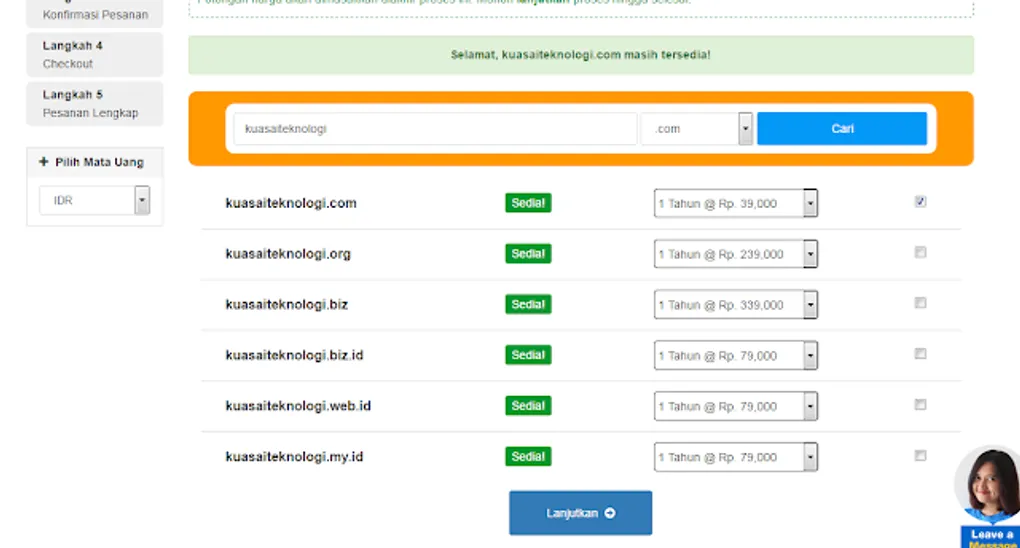
Once you’re on the homepage, enter the name you want for your website. I recently found a great promo from Exabytes that I’ll show you later. Enter your desired name and extension (like .com, .net, or .co.id) and click Search.
|
|---|
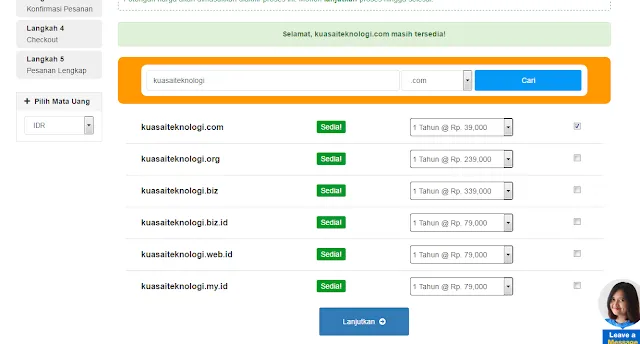
In my case, kuasaiteknologi.com was available.
Step 3: Select and Continue
Select the domain you want and choose a 1-year registration period. Check the box and click Continue.
 |
|---|
Step 4: Configure Add-ons
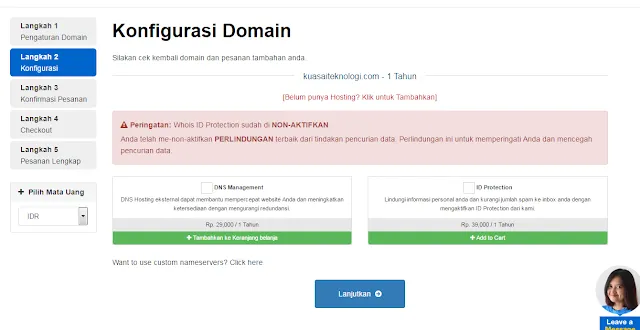
On the configuration page, you’ll often see ID Protection selected by default. You can uncheck this if you don’t need it. Once finished, click Continue.
 |
|---|
Step 5: Order Summary and Checkout
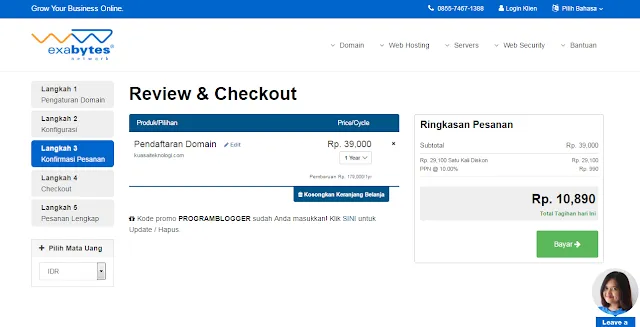
Next, you’ll see your order summary. As I mentioned, I managed to get a promo price of only Rp 10,890. Click Checkout to proceed.
 |
|---|
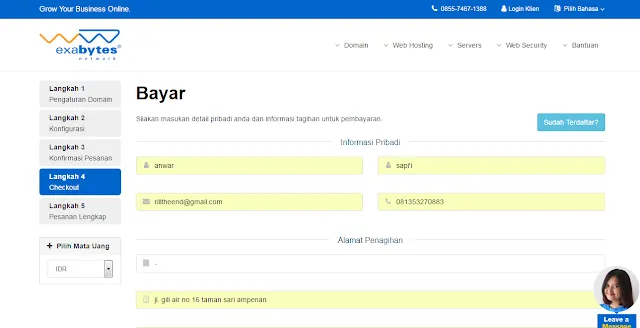
Step 6: Enter Personal Details
Fill in your personal information for registration. Make sure everything is accurate.
 |
|---|
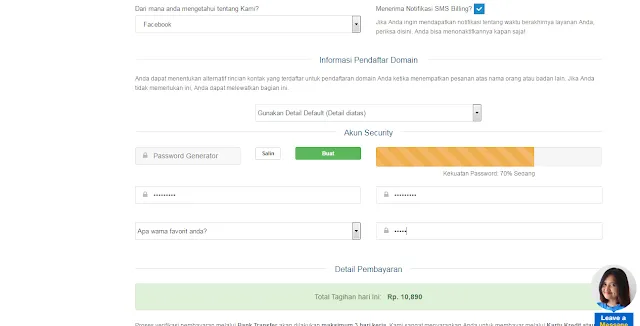
Step 7: Finalize Password and Payment
Important: Set a strong password for your account. I recommend writing it down in a safe place so you don’t forget it. Click Complete Order at the bottom.
 |
|---|
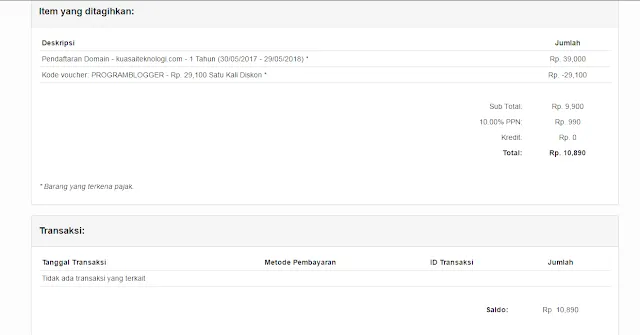 |
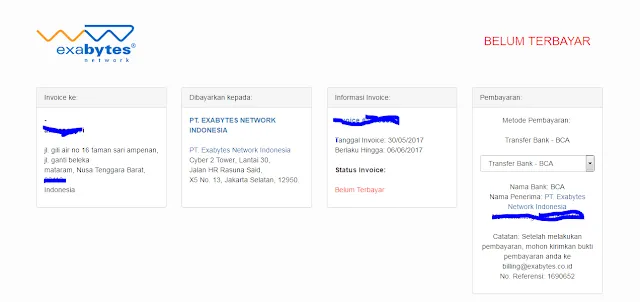
The final page will show your invoice and payment instructions (bank account numbers, etc.).
That’s it! You’ve successfully ordered your domain from Exabytes. I hope this tutorial was helpful. Thanks for visiting!