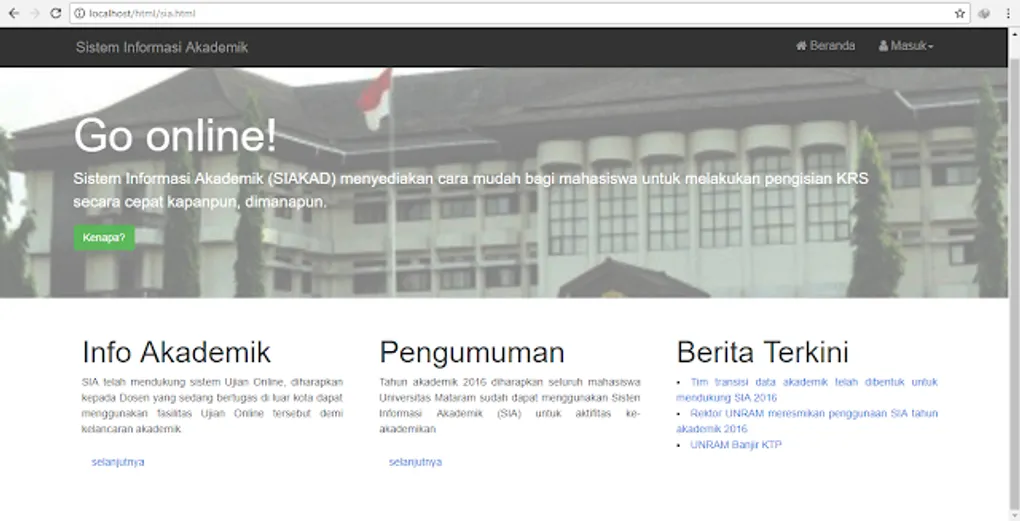
Tips and Tricks: Learning Programming by Imitating and Inspecting Elements (HTML & CSS)
Warm greetings to all the “warrior programmers” out there! In this post, I want to share a few insights into the fastest way to learn programming, based on my own current experience.
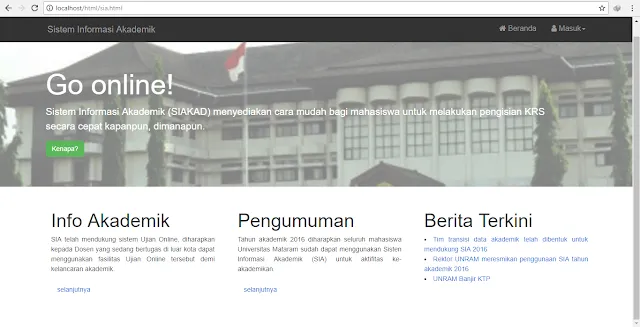
In the image above, I tried to replicate the website for SIA Unram (you can see the original at sia.unram.ac.id). My primary method for learning programming is by imitating websites that I find interesting or visually appealing.
To do this, I use basic HTML structures combined with heavy CSS. CSS is what brings a website to life, making templates look professional and attractive to visitors. Most of my foundational knowledge in CSS, HTML, and PHP comes from W3Schools.
Understanding the Code
Here is a look at the script used for the imitation above:

In the image above, you can see a combination of colors: red, green, and yellow represent HTML tags, while the long blue block on the right is the CSS script. This CSS is what handles the entire layout and design of the site.
Two Keys to Learning:
- W3Schools: A great place to look up syntax and rules.
- Inspect Element: This is my favorite “secret” tool. Right-click on any website in your browser and select Inspect (or press
Ctrl+Shift+I). This allows you to see exactly how professional sites are built.
Currently, I still work mostly on localhost as I am in the early stages of my learning journey.
Tools I Use:
- Sublime Text: A lightweight and powerful code editor.
- XAMPP: Used to run a local server environment for testing.
That’s all for my first post on easy ways to learn programming. I hope these tips are useful for you. Remember… stay a warrior programmer!