Creating Detailed Tables in HTML
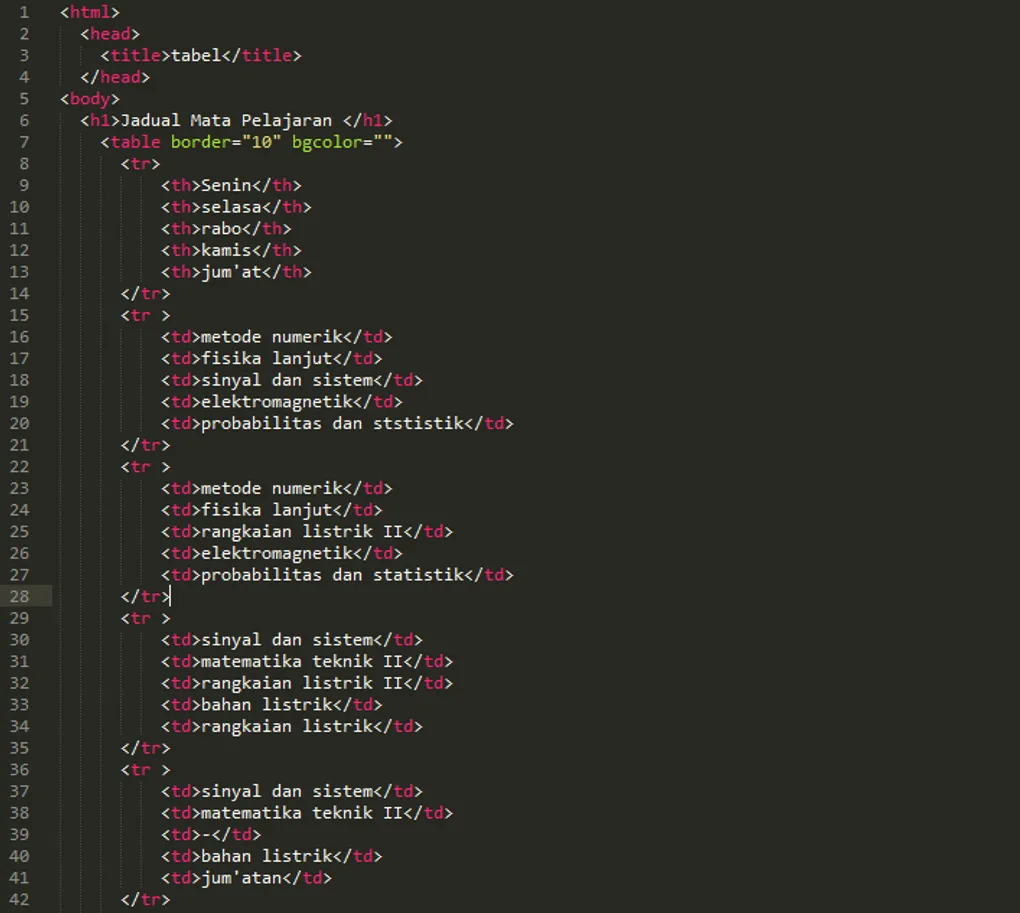
Let’s dive straight into the script for the table we’re building today. While the code might look a bit long, it’s actually quite simple. If you missed the previous lessons on links and lists, be sure to check them out first.

What is a Table?
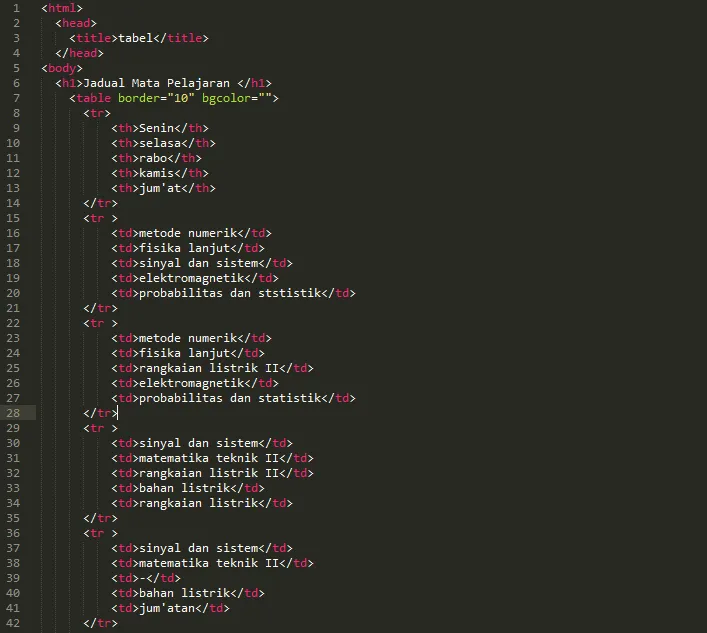
A table is a grid consisting of rows and columns. To create one, you use the <table> tag and close it with </table>. You can add attributes like border or color to the opening tag.
Key tags inside a table:
<tr>(Table Row): Used to define a single row.<td>(Table Data): Defines a single cell within a row. These go inside the<tr>tags.<th>(Table Header): Similar to<td>but used for header cells, usually displayed as bold and centered text.
Browser Result
When you run the script above, it will look like this:
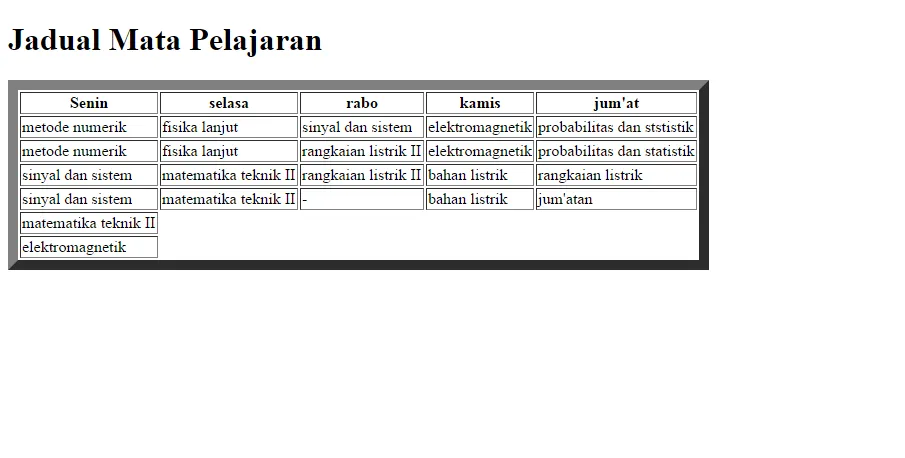
In the opening <table> tag, I used the border attribute with a value of 10 to give the table a thick, dark outline.
Stay Updated!
At the end of the page, you’ll see a SUBSCRIBE section. Enter your email and hit submit to get the latest posts from Kuasai Teknologi sent directly to your inbox.
That’s it for now—happy coding!