Creating Databases and Tables in XAMPP phpMyAdmin
Creating a Database in XAMPP phpMyAdmin – Before we dive into the details, ensure you have XAMPP installed on your computer. If you’re a beginner, navigating phpMyAdmin for the first time might seem confusing, but I’ll guide you through it.
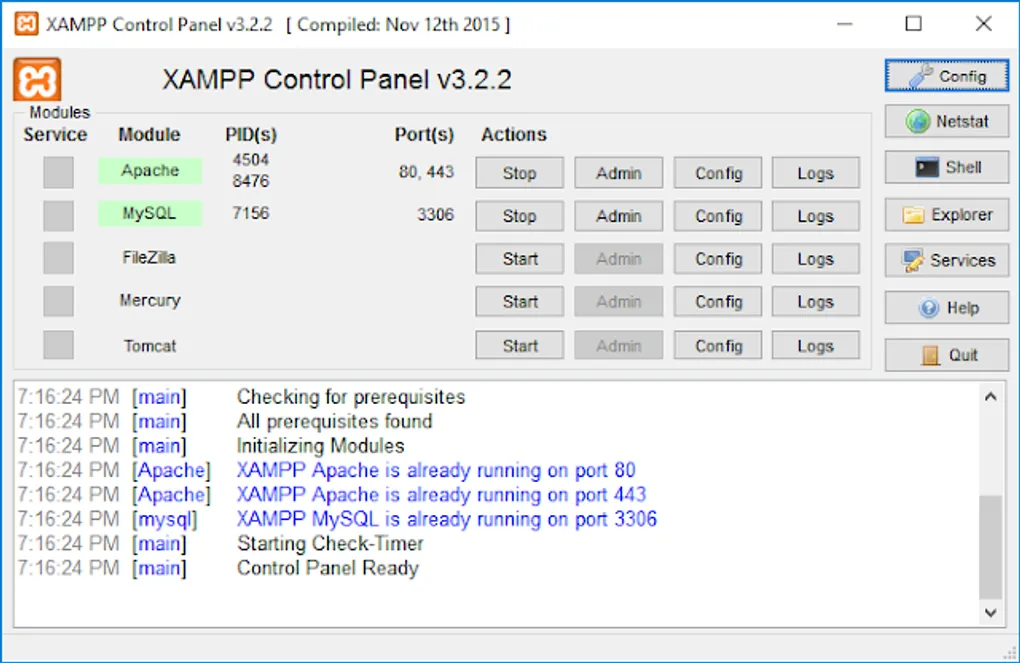
Once XAMPP is installed and opened, you will see the Control Panel:
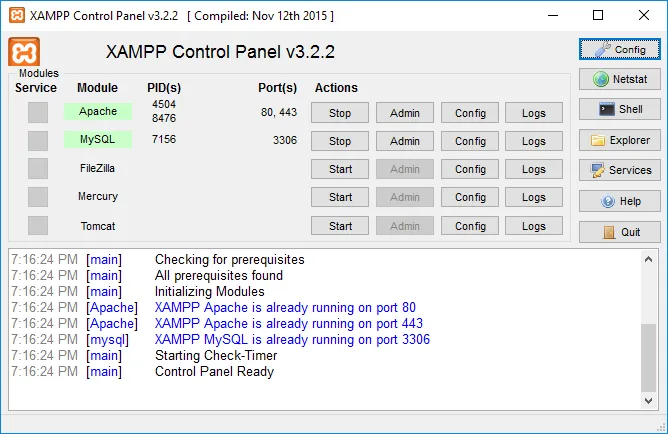
In the image above, the Apache and MySQL modules are running. To work with databases, you must start both. Apache allows you to access localhost, and MySQL provides the database service. Note that running only Apache won’t let you access databases, and running only MySQL won’t allow browser access.
Once running, type localhost/phpmyadmin in your browser to see this screen:
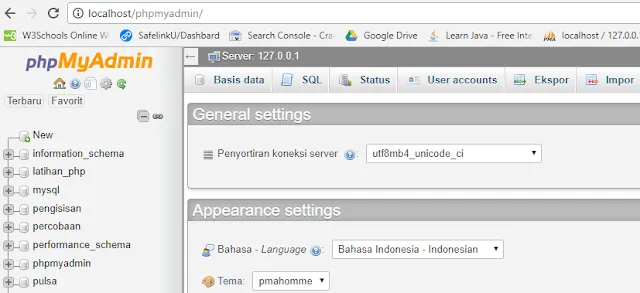
There are two ways to create a database:
1. Graphical User Interface (GUI) Method
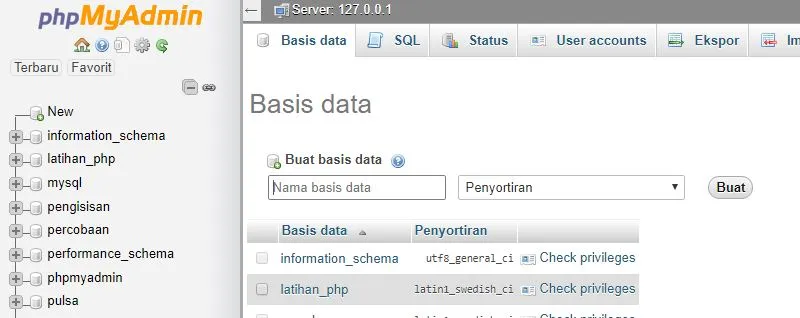
Click “New” in the left sidebar. Enter your desired database name and click “Create”.
2. SQL Query Method
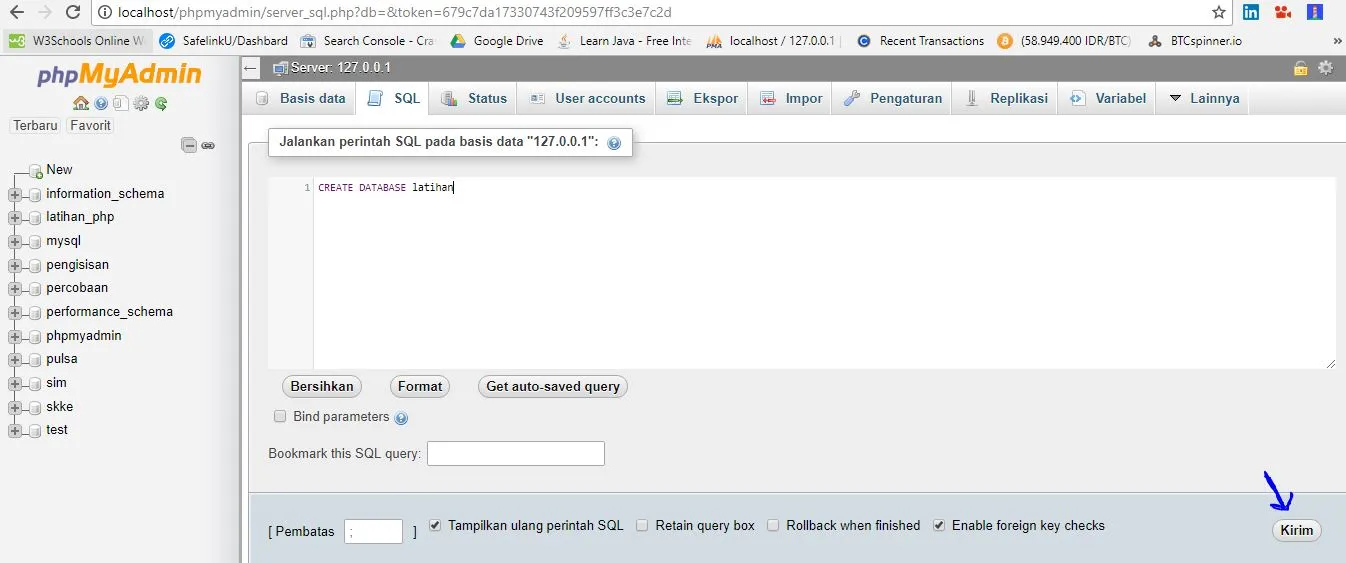
Click the SQL tab and type CREATE DATABASE your_database_name; into the text area. Click the “Go” (or Kirim) button in the bottom right.
Creating Tables in your Database
Now that the database exists, you need tables to store data. Again, there are two methods:
Method 1: Using the Table Creator
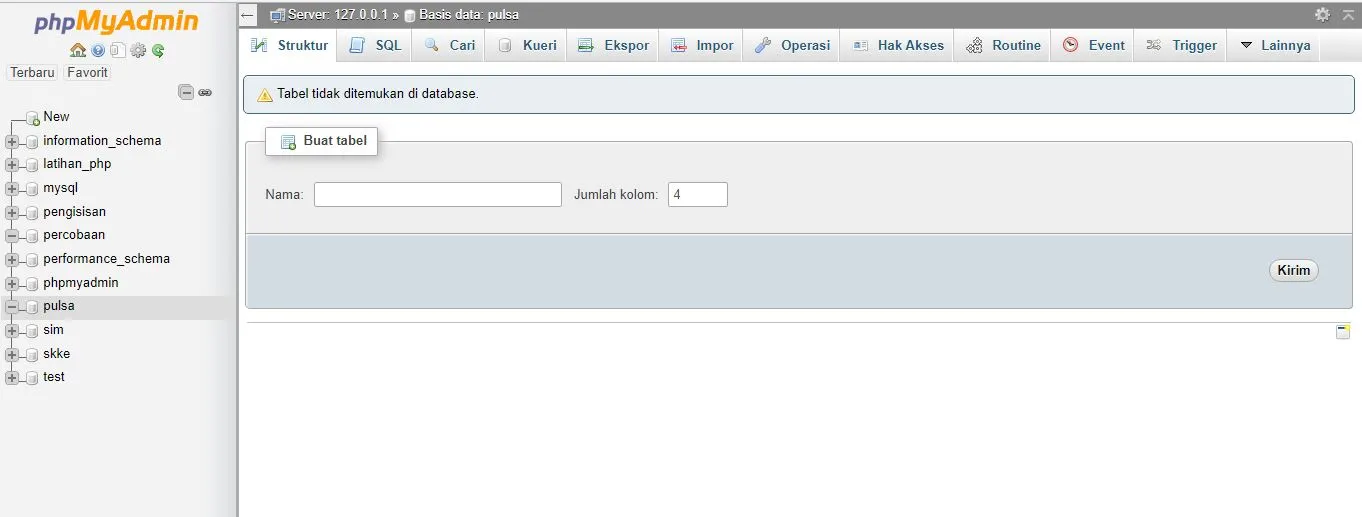
Inside your database (e.g., named “pulsa”), you’ll see a “Create table” section. Enter the name of the table and the number of columns (fields) you want (e.g., 4), then click “Go”.
Method 2: Using SQL Commands
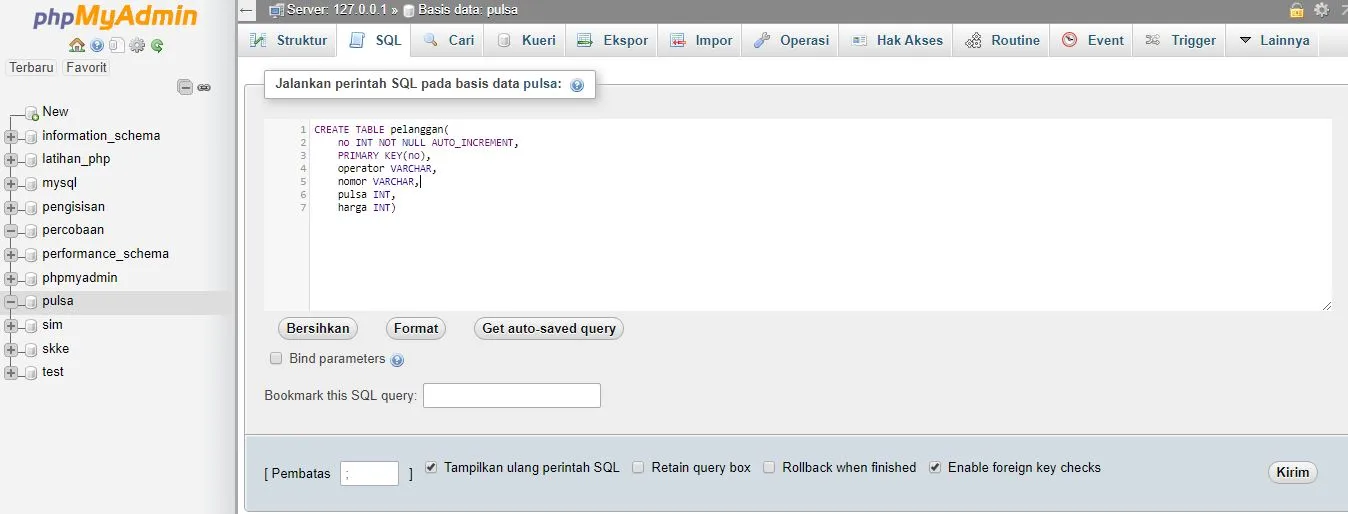
Click the SQL tab within your database and run a script like this:
CREATE TABLE pelanggan(
  no INT NOT NULL AUTO_INCREMENT,
  PRIMARY KEY(no),
  operator VARCHAR(15),
  nomor VARCHAR(15),
  pulsa INT,
  harga INT
);
Script Explanation:
- AUTO_INCREMENT: Automatically increases the value of the “no” field with each new entry (1, 2, 3, etc.).
- INT: Short for Integer, an entry type for whole numbers.
- NOT NULL: Ensures the field cannot be left empty.
- PRIMARY KEY: A unique identifier for each row—no two entries can have the same “no” value.
- VARCHAR: Stands for “variable character,” used for strings of text. The number in parentheses is the maximum character limit.
Read Also: Collection of Basic MySQL Commands
I hope this explanation on Creating Databases and Tables in XAMPP phpMyAdmin is helpful for your projects. Thank you for reading!