
Key Features of Vue.js | JavaScript
Virtual DOM

DOM stands for Document Object Model, a model that describes an HTML or XML page. The DOM is a tree-like hierarchical structure that connects each HTML element (node).
Example:
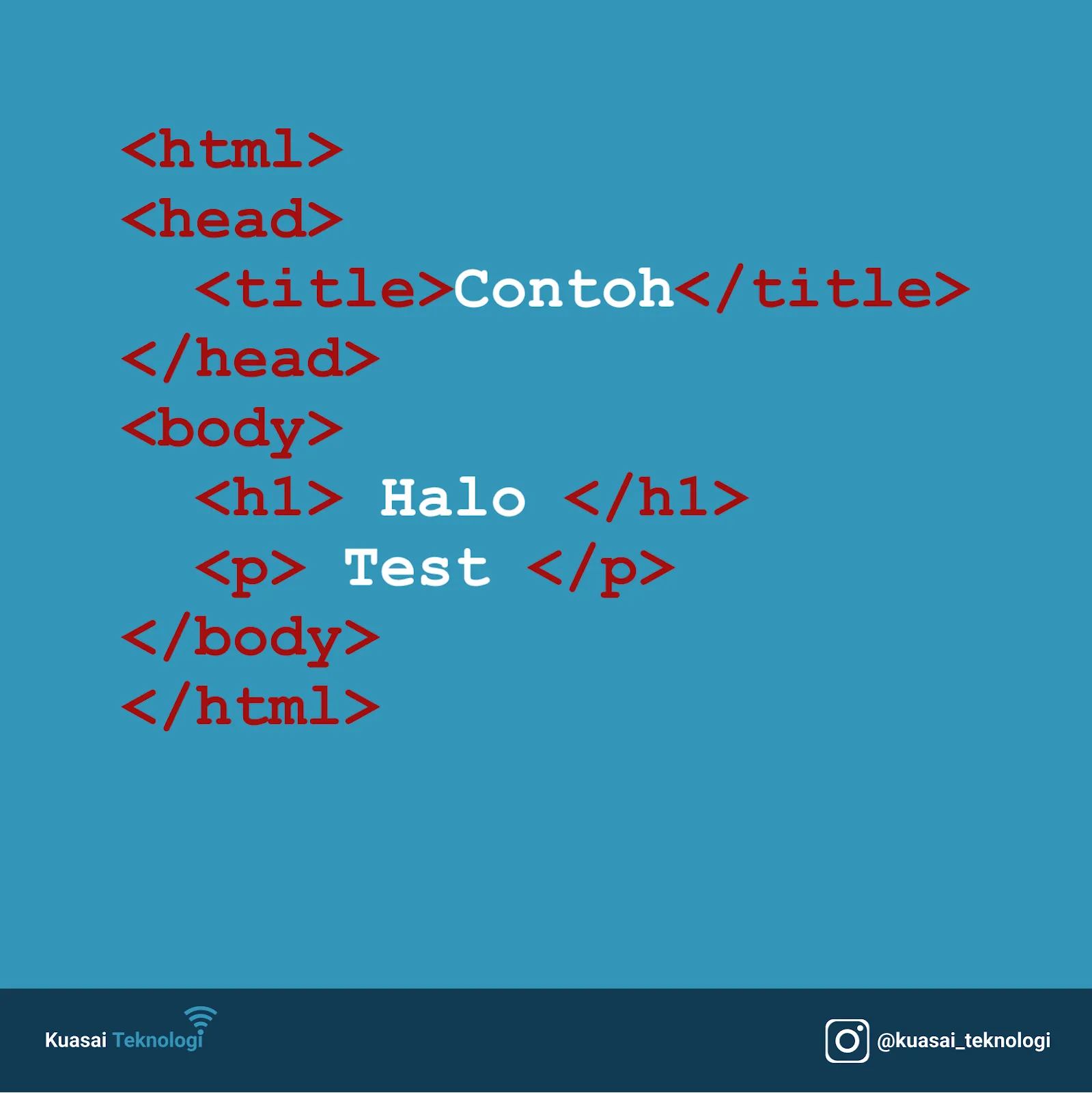
In the HTML code above, the DOM has a root node html, which has two child nodes: head and body. The head node has one child, title, while the body node has two children, h1 and p.
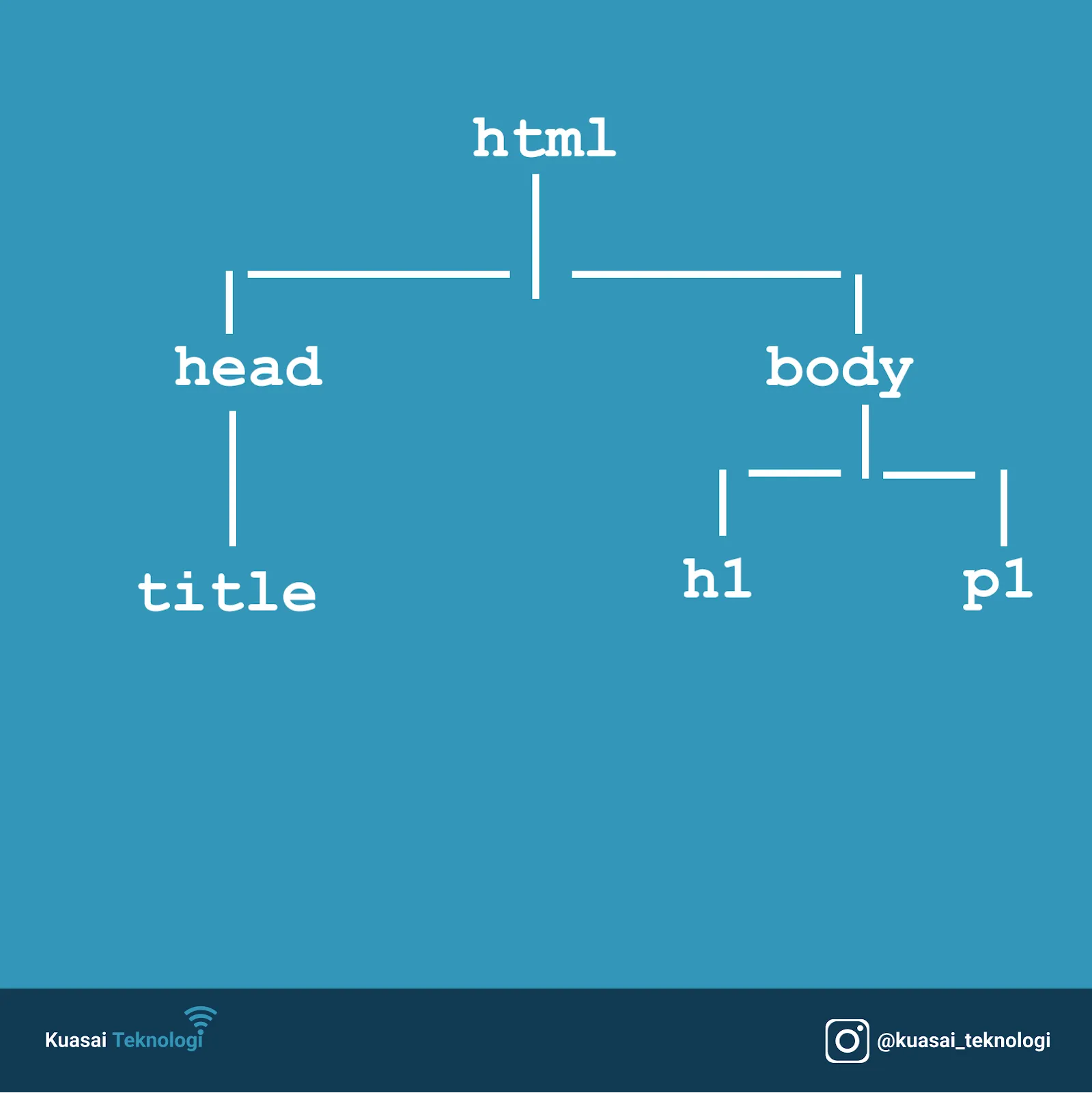
JavaScript has the ability to access and manipulate all these DOM elements directly.
const h1s = Array.from(document.getElementsByTagName('h1'))
console.log(h1s[0]);
However, instead of manipulating the DOM directly, Vue uses an abstraction: it creates a Virtual DOM (an object representation), manipulates it, and then renders the result to the actual DOM. This approach is more efficient and faster than direct DOM manipulation, which is common in older libraries like jQuery.
Component-Based
Vue uses a component-based approach, where every view or part of a view is a component. This allows complex interfaces to be broken down into smaller pieces that can be reused throughout the application. This results in cleaner and more efficient code. In Vue, components are written as JavaScript objects.
Template
Related to the previous point, a template is the code that forms the basis of a component, usually written in standard HTML. Template syntax in Vue is highly flexible. You can write them within <template> tags in .vue files or as separate files altogether.
Modularity
Vue components can be broken down into small modules. This simplifies the development process, especially for large-scale application projects where managing code can become complex.
Reactivity
By default, Vue supports reactivity, meaning that data changes in one part of the application automatically update other related parts. This feature allows developers to focus on data flow and templates rather than manually updating the UI.
Routing
Routing is essential for building enterprise applications as it handles how users navigate between different pages in a web browser. While not built into the core library, Vue provide an officially supported library for routing: Vue Router.
State Management
Since Vue is component-based, a centralized approach is needed to store application state (data) that can be read and modified by any component. Like routing, state management isn’t in the core, but the official library Vuex (and more recently, Pinia) provides this functionality.